How to Program a Garage Door Remote or Keypad: LiftMaster, Chamberlain and Genie
By Kyle Ronan, owner of Garage Door Grunts · Marine veteran · about 10 years as a garage door tech · Updated October 2026
Short answerFind the Learn (or Program) button on the opener motor, press it once, and within about 30 seconds press the button on the remote you want to add. The opener lights blink or click when it takes. On LiftMaster and Chamberlain openers, the color of the Learn button tells you which remotes will work. If the steps below don’t work, book a visit and a technician will program everything for you.
Fresh battery in the remote. Match the size printed on the old one (many take a CR2032 coin cell). On a brand-new remote, pull the plastic battery tab.
Lock mode off. If the wall control has a lock button or a lit lock symbol, the opener ignores remotes until you unlock it (press and hold the lock button for a couple of seconds).
The right remote. A remote has to match the opener’s radio system. On LiftMaster and Chamberlain, check the Learn button color first (below).
Safety first. You’ll be on a step stool under the opener. Use a sturdy one, keep kids and cars out of the doorway, and stand clear of the door when you test. Never touch the springs or cables above the door.
Find the Learn (or Program) button
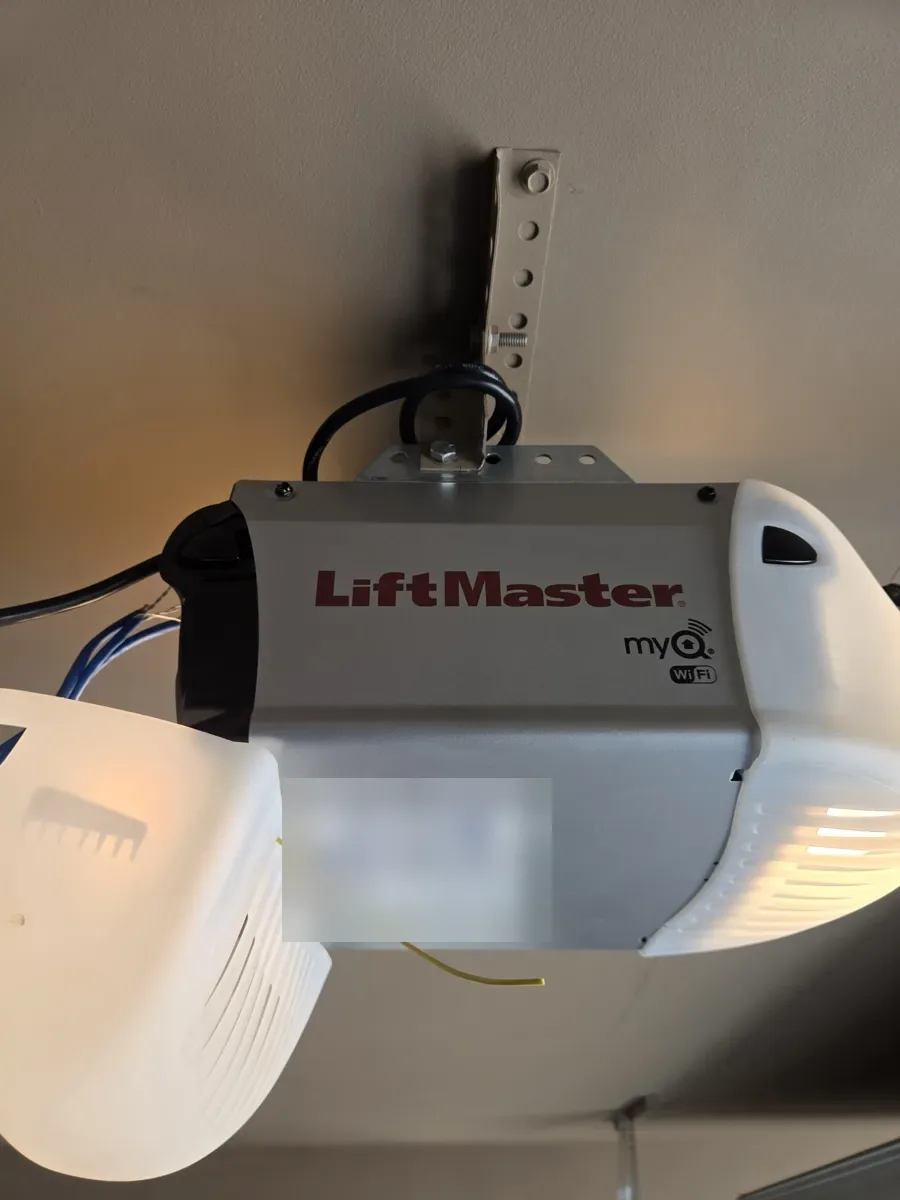
It’s on the opener motor on the ceiling, usually on the back or side near the hanging antenna wire, and sometimes under the light cover. LiftMaster and Chamberlain call it Learn. Genie calls it Learn Code on older openers and Program on newer ones.
LiftMaster, Chamberlain and most Craftsman openers
These openers come from the same manufacturer and use the same system. The color of the Learn button tells you which radio type your opener uses, and a replacement remote has to support that color:
Learn button
Radio type
Roughly made
Yellow
Security+ 2.0
2011 to today
Purple
Security+ 315 MHz
2005 to 2011
Red or orange
Security+ 390 MHz
1997 to 2005
Green
Billion Code 390 MHz
1993 to 1997
Button colors from LiftMaster’s support articles; years are approximate. LiftMaster’s 893MAX universal remote lists all four colors.
Program a remote
Press and release the Learn button once. The small light next to it glows for about 30 seconds.
Within those 30 seconds, press and hold the remote button you want to use.
Let go when the opener lights blink or you hear two clicks. The remote is programmed.
Test it, standing clear of the door.
Don’t hold the Learn button down. Holding it for about 6 seconds erases every remote and keypad on the opener.
Program a wireless keypad (LiftMaster and Chamberlain)
Press and release the Learn button on the opener.
Within 30 seconds, enter the 4-digit PIN you want on the keypad.
Press and hold Enter until the opener lights blink.
Test it: enter the PIN and press Enter.
Many newer wall controls can do this without a ladder: press Learn on the wall control twice, enter the PIN, and press Enter. A few keypads (such as the 877MAX) have their own setup steps, so check the model number on the back of the keypad. Pick a PIN that isn’t your address or 1234; see our security guide.
Genie openers
Newer Genie openers (a Program button with a round light and a long light)
Press and hold Program until the round light turns blue, then let go. The long light flashes purple.
Stand at least 5 feet from the opener. Within about 30 seconds, slowly press the remote button you want to use two times. The opener lights flash and go off.
Press the same button a third time. The door should move.
Genie openers from about 1995 to 2011 (a Learn Code button)
Press and release Learn Code once. The red light flashes.
Within 30 seconds, from at least 5 feet away, slowly press the remote button twice until the lights go off, then a third time to run the door.
Steps from Genie’s remote programming instructions.
Checked the basics and it still won’t cooperate? That’s when to call a tech. Phones answered 24/7.Call (623) 219-8460Book online
Your car’s built-in buttons (HomeLink and others)
Most cars use HomeLink, and the steps depend on the car, so follow your owner’s manual or HomeLink’s website. Most of the time you finish by pressing the opener’s Learn or Program button, just like a remote. Some older cars need an adapter to work with a yellow-button LiftMaster.
Lost a remote or just moved in? Erase and start over
LiftMaster and Chamberlain: hold the Learn button about 6 seconds, until its light goes out.
Newer Genie: hold Program until the round light turns blue and let go, then hold the + and − buttons together until both lights are solid blue.
Older Genie: hold Learn Code until the light stops blinking.
This erases every remote and keypad (and car buttons), so have the ones you’re keeping in hand and reprogram them right away. After a move, it’s the only way to know the last owners’ remotes no longer open your garage.
Still won’t program?
Wrong remote for your Learn button color or opener age.
Battery tab still in, or a weak battery.
LED bulbs in or near the opener can block remote signals. Try it with the bulb removed.
It only works right next to the opener: the opener’s receiver or logic board may be failing. That’s a repair, not a programming problem; see opener not working.
When to call usThis guide is here so you can handle it yourself. Our office can’t walk you through programming over the phone: every opener is a little different, and we keep the lines open for doors that won’t open or close. If you’ve tried these steps and it still won’t take, book a visit and a technician will program every remote, keypad and car button and check the opener while they’re there. The visit is $49.95 (a tune-up and safety inspection) and it’s waived when you approve any repair. Every repair is priced in writing before work starts.
A real job
Carefree · July 2026
Locked-Out Guests Let Back In at a Carefree Rental
The guests at this Carefree vacation rental were locked out: the outside keypad blinked red, the remotes did nothing, and there was no other way into the garage. Once our tech got inside, the 2018 LiftMaster opener had lost every programmed remote and keypad. We reprogrammed the entry devices, added a new remote, and walked the owners through how to get back in if it ever happens again.
Tried the steps and still stuck?
Book a visit and our technician will program everything on site.
Press and release the Learn (or Program) button on the opener, then press the remote button within about 30 seconds. The opener lights blink or click when it takes. Genie remotes are pressed two or three times; see the steps above.
Why does the color of the Learn button matter?
On LiftMaster and Chamberlain openers it shows the radio type: yellow, purple, red/orange or green. A remote only works if it supports your color, so check before you buy one.
Why won’t my new remote program?
Usually it’s the wrong remote for the opener, the battery tab is still in, the wall control is in lock mode, or the Learn button was held down instead of pressed and released.
Can I use a universal remote?
Yes, if it lists your opener brand and Learn button color. LiftMaster’s 893MAX, for example, works with all four LiftMaster colors.
How do I erase all my garage door remotes?
On LiftMaster and Chamberlain, hold the Learn button about 6 seconds until the light goes out. On Genie, follow the erase steps above. Then reprogram the remotes you’re keeping.
Can you walk me through programming over the phone?
Our office can’t walk through programming by phone. If the steps in this guide don’t work, book a visit and a technician will program every remote, keypad and car button for you.
Need it fixed? We handle it
Our techs repair and install all of this across the Phoenix Valley. Prices are on our pricing page, and phones are answered 24/7 at (623) 219-8460.
About the author: Kyle Ronan
Kyle comes from a family with more than 20 years in the garage door industry and has about 10 years of his own as a service technician and installer, on residential and commercial doors. Before that he served eight years in the United States Marine Corps (2009–2017), including Operations Iraqi Freedom, Enduring Freedom and Freedom’s Sentinel. He has worked for big-name companies in the industry and holds two Arizona ROC dual licenses (residential and commercial): #333915 (CR-60) for garage doors and #364504 (CR-14) for gates. He started Garage Door Grunts in North Phoenix because he’s seen service from every side, and he knows what it should look like. We’re here to stay. About Garage Door Grunts.